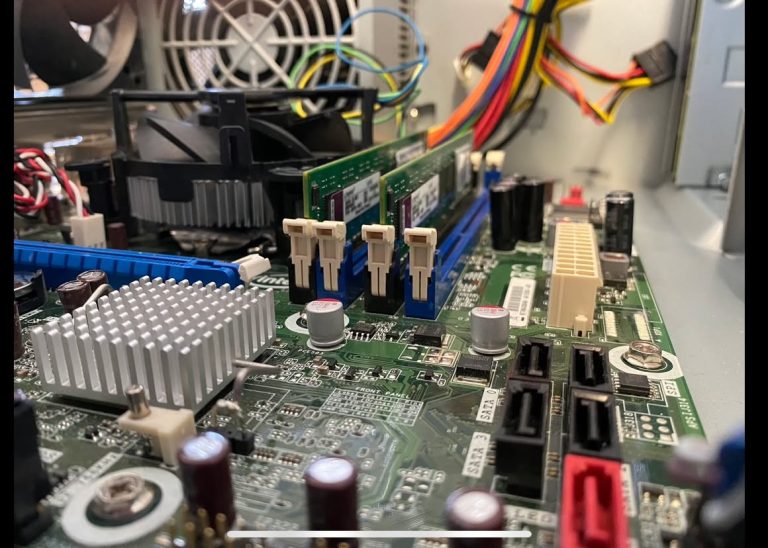
As we head into springtime, it’s a good time to give your computer and workspace a little attention.
Living on the coast, we know just how much dust, sand and grime can find its way into everything — and your computer is no exception!
Dust and dirt aren’t just unsightly. Built-up dust inside a computer can restrict airflow, cause components to run hotter and, over time, contribute to problems with your computer.
So, what can you do?
- Give your equipment a gentle clean. Use a clean microfiber cloth for your keyboard, mouse, monitor and computer case.
- Be careful with cleaning products. If you’re using a cleaner, apply it to the cloth rather than spraying directly onto your computer. Never spray liquid directly onto electronic equipment.
- Keep the vents clear. Dust blocking the ventilation openings can prevent your computer from cooling properly.
- Don’t forget what’s inside. Desktop computers can accumulate a surprising amount of dust internally, particularly if they’re sitting on the floor.
You might be shocked at what your computer is breathing in! 😳
When computers are brought in for repairs or upgrades, one of the first things that often needs attention is a good clean. It’s amazing how much dust and dirt can accumulate inside a computer over time.
And sometimes a proper clean can be just what an older computer needs to help keep it running comfortably.
If your computer is looking a little worse for wear, RD3 Tech can help. We can give your computer a proper clean, including removing built-up dust from inside where appropriate.
A little spring cleaning now could help keep your technology happier for longer.
For more computer tips or information about our services, contact RD3 Tech.
tom@rd3tech.com
As ever, all the best to everyone on the coast!
Tom
RD3 Tech