Month: August 2023 - RD3 Tech

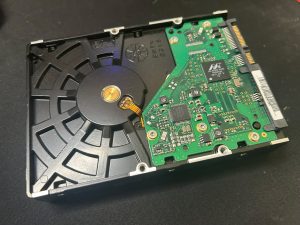
💾🔍 What’s Hiding on That Old Hard Drive?

Hi there, Ngunguru and Tutukaka community.

Did you know that those old hard drives you have lying around can often be given a new lease of life?

Instead of leaving an old drive sitting in a drawer, it may be possible to convert it into an external hard drive and use it again for storing or retrieving your data.

You might even find some digital treasures hiding on there — old photos, documents, music or other memories you thought you’d lost!

Old hard drives can be useful for:

  • Recovering old photos and memories
  • Finding documents for archiving
  • Creating additional storage
  • Reusing hardware instead of throwing it away
  • Helping reduce unnecessary electronic waste

Of course, if the drive contains personal or sensitive information, it’s important to handle it carefully and make sure your data is protected.

Don’t throw away your old digital memories just yet!

If you’ve got an old computer or hard drive sitting around and you’re not sure what can be done with it, I can help you work out your options.

For more computer tips and information about the services available, contact RD3 Tech.

tom@rd3tech.com

Please think of us when you need your next computer refurbishment, upgrade or data solution.

As ever, all the best to everyone on the coast!

Tom
RD3 Tech
🧹💻 Keep Your Computer Hygienic This Spring!

As we head into springtime, it’s a good time to give your computer and workspace a little attention.

Living on the coast, we know just how much dust, sand and grime can find its way into everything — and your computer is no exception!

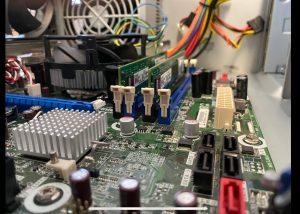
Dust and dirt aren’t just unsightly. Built-up dust inside a computer can restrict airflow, cause components to run hotter and, over time, contribute to problems with your computer.

So, what can you do?

  1. Give your equipment a gentle clean. Use a clean microfiber cloth for your keyboard, mouse, monitor and computer case.
  2. Be careful with cleaning products. If you’re using a cleaner, apply it to the cloth rather than spraying directly onto your computer. Never spray liquid directly onto electronic equipment.
  3. Keep the vents clear. Dust blocking the ventilation openings can prevent your computer from cooling properly.
  4. Don’t forget what’s inside. Desktop computers can accumulate a surprising amount of dust internally, particularly if they’re sitting on the floor.

You might be shocked at what your computer is breathing in! 😳

When computers are brought in for repairs or upgrades, one of the first things that often needs attention is a good clean. It’s amazing how much dust and dirt can accumulate inside a computer over time.

And sometimes a proper clean can be just what an older computer needs to help keep it running comfortably.

If your computer is looking a little worse for wear, RD3 Tech can help. We can give your computer a proper clean, including removing built-up dust from inside where appropriate.

A little spring cleaning now could help keep your technology happier for longer.

For more computer tips or information about our services, contact RD3 Tech.

tom@rd3tech.com

As ever, all the best to everyone on the coast!

Tom
RD3 Tech
💻🔒 Is Your Computer Operating System Up to Date?

Hi there, Ngunguru and Tutukaka community.

Just checking in to see if your computer’s operating system is up to date.

Windows 7 and Windows 8 reached the end of their support and security update cycles some time ago. This means computers still running these older versions of Windows no longer receive regular security updates from Microsoft.

While the computer may continue to work, using an unsupported operating system can leave it more vulnerable to security threats.

It’s not just Windows 7 and 8 either. Operating systems have a lifespan, and keeping your computer supported is an important part of keeping your data and personal information secure.

At RD3 Tech, we’re looking out for our community and want our customers to have the best possible security and technology outcomes.

If you’re not sure which version of Windows you’re running, or you’re wondering whether your computer is still suitable for an upgrade, I can help you check.

Don’t wait until your computer becomes a security problem. A little planning now can make your next upgrade much easier.

Please think of RD3 Tech when you need your next computer upgrade, replacement or technology advice.

All the best to everyone on the coast!

Tom
RD3 Tech