Articles - Page 17 - RD3 Tech

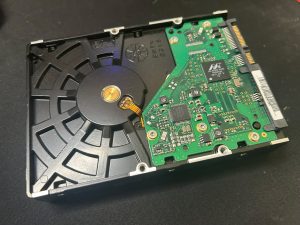
Thinking about getting rid of your computer?

♻️ Thinking About Getting Rid of Your Computer?

Windows 10 support has ended — and if you’re still using an older computer, it may be time to think about what comes next.

If you’re replacing an old PC or Mac, don’t just throw the old one in the rubbish. Your computer may still contain years of personal, business, or sensitive information.

Before getting rid of your old computer:

  • 💾 Back up your data before doing anything else.
  • 🔐 Protect your personal information by making sure your data is properly removed from the device.
  • ♻️ Recycle responsibly rather than sending electronic equipment to landfill.
  • 🛠️ Not sure what to do? RD3 Tech can help you work out what should be backed up, transferred, erased, or recycled.

Simply deleting your files isn’t always enough to protect sensitive information. If you’re passing on or disposing of an old computer, it’s worth making sure the device has been properly prepared first.

Don’t let your old computer become someone else’s source of your personal information.

Keep your data safe, recycle responsibly, and give your old technology a proper send-off. 🌱

📞 Need help getting rid of an old computer? Get in touch with RD3 Tech and we can help you work out the safest next step.
Windows 10 Has Reached End of Support

🪟 Windows 10 Has Reached End of Support

Windows 10 is no longer receiving regular free security updates or technical support from Microsoft.

You can still use your Windows 10 PC, but continuing to run an unsupported operating system means you may be more exposed to security vulnerabilities over time.

So, what are your options?

  • 💻 Upgrade to Windows 11 if your computer supports it.
  • 🆕 Replace your computer if your current hardware isn’t suitable for Windows 11.
  • 🛡️ Extended Security Updates (ESU) may be available if you need more time before upgrading.

Not sure whether your computer can run Windows 11 or what your best option is? Don’t just replace it because someone told you that you need to. RD3 Tech can help you check your existing computer, explain your options, and work out the most practical solution.

Whether you need help upgrading, transferring your data to a new computer, or deciding what to buy next, we’re here to help.

📧 Email RD3 Tech to find out what your options are.

Is this happening to you?

🎮 Is This Happening in Your House?

Keeping kids — or even yourself — focused can be tough when work, school, and gaming all happen on the same computer.

One minute you’re sitting down to finish some homework or get some work done, and the next thing you know, there’s a game, YouTube, or something else competing for your attention.

Sometimes the easiest solution is to create a clear separation between work and play.

For some computers, this can be done by setting up separate user accounts or operating system environments. One can be dedicated to school or work, while the other is used for gaming and entertainment.

  • 📚 Work or school: Keep the essentials available without unnecessary distractions.
  • 🎮 Gaming: Keep games and entertainment separate from school or work.
  • 🔒 Separate accounts: Give each person their own environment and settings.
  • ⚙️ Better organisation: Make it easier to keep files, applications, and settings where they belong.

The goal isn’t to stop gaming or make technology complicated. It’s about creating a setup where work gets done when it’s time to work, and gaming can be enjoyed when it’s time to play.

Whether you’re trying to help your kids stay focused, separate business and personal use, or simply get better organised on your own computer, RD3 Tech can help you work out the right setup.

📞 Need help setting up your computer for work, school, and play? Get in touch with RD3 Tech.