Hey there, Ngunguru and Tutukaka Community!
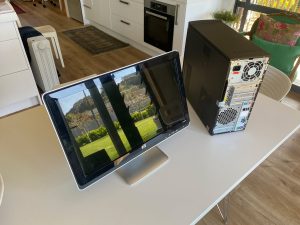
Have an old computer gathering dust at home? Before you think about throwing it out, there may be another option — give it a new lease on life as a media centre!
Why turn an old computer into a media centre?
- 💰 Save money: Make use of hardware you already have instead of buying another device.
- 🌱 Reduce e-waste: Giving an old computer another purpose can help extend its useful life.
- 🛠️ Make it your own: Build a media setup that suits your family and how you like to watch and enjoy your content.
What could you do with it?
- 🔧 Check the hardware: Make sure the computer is still in good working order and capable of handling the media you want to use.
- 💿 Choose suitable software: Depending on the computer, a lightweight operating system and media software can help keep things running smoothly.
- 📁 Organise your media: Keep your photos, music and other media in well-organised folders so they’re easy to find.
- 📱 Add easy controls: A wireless keyboard, remote or smartphone app can make navigating your media centre much easier.
- 📺 Connect it to your TV: An old computer can often be connected to a larger screen for a much better viewing experience.
- 🔊 Improve the sound: Connect it to your existing TV sound system, speakers or headphones.
Depending on the age and capabilities of the computer, you may also be able to use it for streaming services, music, photos and other entertainment.
Don’t automatically throw out that old computer — it might still have a useful life left in it!
It can be a fun little project and a great way to get more use out of technology you already own.
If you’ve got an old computer sitting around and you’re wondering whether it could be put to better use, get in touch with RD3 Tech. I’m happy to take a look and see what’s possible.
Wishing all the best to our community!
Tom
RD3 Tech 💻💾💽🕹🔌