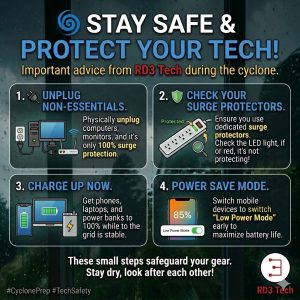
🌀 Stay Safe & Protect Your Tech 🌀
With the cyclone approaching, please take care of yourselves, your homes, and your technology.
Severe weather can bring power outages, voltage fluctuations, and power surges that can damage computers, networking equipment, televisions, and other electronics. A few simple steps now can help reduce the risk of damage and make things a little easier if the power goes out.
🔌 Unplug Non-Essential Equipment
The most reliable way to protect electronic equipment from a significant power surge is to physically unplug it from the wall.
This includes computers, monitors, televisions, printers, gaming consoles, and other non-essential equipment. Don’t forget about your modem, router, and other networking equipment if you can manage without internet access during the storm.
If severe weather is approaching and you don’t need a device running, switching it off and unplugging it is a simple precaution.
🛡️ Check Your Surge Protection
If you need to keep equipment connected, make sure it is plugged into a proper surge protector rather than just a standard power board or multi-plug.
Many surge protectors have an indicator light showing whether their surge protection is still active. Check the instructions for your particular unit to understand what the indicator means.
👉 Pro Tip: Surge protectors can wear out over time, particularly after experiencing significant surges. If your protector indicates that its protection has failed, replace it rather than continuing to rely on it.
🔋 Charge Up While You Can
While the power is still stable, charge your phones, laptops, tablets, power banks, and other essential battery-powered devices.
Having a fully charged phone can be particularly important if there is a prolonged power outage or you need to contact family, emergency services, or your power provider.
📱 Save Your Battery
Once the power goes out, conserve your battery wherever possible. Turn on Low Power Mode or Battery Saver, reduce screen brightness, and close apps you aren’t using.
If mobile coverage is available but you don’t need to use your phone, limiting unnecessary activity can help stretch that battery further.
💾 Protect Your Data
If you have important work or personal files open, save them before the weather gets worse. If possible, make sure important files are backed up to a reliable cloud service or another storage device.
A power outage can be inconvenient, but losing important photos, documents, or business data can be much more serious.
⚡ When the Power Comes Back
When power is restored after an outage, it can sometimes be unstable for a short period. You don’t necessarily need to switch everything back on immediately.
If you have unplugged your equipment, consider waiting until power appears stable before reconnecting your more valuable electronics. Turn equipment back on gradually rather than reconnecting everything at once.
Most importantly, don’t put yourself at risk to protect your technology. Your safety comes first. If conditions are dangerous, leave the equipment alone and deal with it once it is safe to do so.
These small steps can make a big difference in reducing the risk of damage to your equipment and keeping you connected when you need it most.
Stay safe, stay dry, and look after each other! 🤝
All the best,
RD3 Tech