Articles - Page 34 - RD3 Tech

💻⏰ Tech Tips for a Productive End to the Year

Hey Ngunguru and Tutukaka Community!

As we head into the final push of the year, things can get pretty busy. Whether you’re working, running a business, organising a community project or simply trying to keep up with everything at home, a few simple technology tools can help.

Here are 10 tech tips to help you stay organised and make the most of your time:

    1. 📅 Smart Calendars: Keep appointments, meetings and important tasks in one place and sync your calendar across your devices.
    2. “`
  1. ✅ Task Management: Use a to-do list to keep track of what needs doing. Breaking larger jobs into smaller tasks can make them much easier to manage.
  2. ⏱️ Try the Pomodoro Technique: Work in focused blocks of time followed by short breaks. A simple timer can help you stay focused without feeling overwhelmed.
  3. 📝 Write It Down: Use a digital notes app to capture ideas, reminders and information so you don’t have to rely on remembering everything.
  4. ⚙️ Automate Repetitive Jobs: If you find yourself doing the same digital task over and over, there may be a way to automate it and save yourself some time.
  5. 🕐 Track Your Time: Time-tracking tools can help you understand where your day is going and identify tasks that may be taking longer than expected.
  6. 📧 Tame Your Inbox: Use folders, labels and filters to keep your email organised and make important messages easier to find.
  7. 📵 Reduce Distractions: Try using focus modes or website and app blockers when you need some uninterrupted time to get things done.
  8. 🤝 Work Together: Online collaboration tools can make it much easier for groups and community organisations to share information and work on projects together.
  9. ☁️ Use the Cloud: Cloud storage can make your important files available across your devices and can provide an additional layer of protection for your data.
  10. “`

Remember, technology is there to help you — not make life more complicated!

You don’t need to use every app or tool available. Find the ones that work for you and make your everyday tasks a little easier.

Here’s to a productive and successful end to the year!

Best,
Tom
RD3 Tech 💻💾💽🕹🔌

💻🎬 Give Your Old Computer a New Life!

Hey there, Ngunguru and Tutukaka Community!

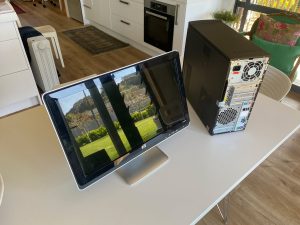
Have an old computer gathering dust at home? Before you think about throwing it out, there may be another option — give it a new lease on life as a media centre!

Why turn an old computer into a media centre?

  • 💰 Save money: Make use of hardware you already have instead of buying another device.
  • 🌱 Reduce e-waste: Giving an old computer another purpose can help extend its useful life.
  • 🛠️ Make it your own: Build a media setup that suits your family and how you like to watch and enjoy your content.

What could you do with it?

  • 🔧 Check the hardware: Make sure the computer is still in good working order and capable of handling the media you want to use.
  • 💿 Choose suitable software: Depending on the computer, a lightweight operating system and media software can help keep things running smoothly.
  • 📁 Organise your media: Keep your photos, music and other media in well-organised folders so they’re easy to find.
  • 📱 Add easy controls: A wireless keyboard, remote or smartphone app can make navigating your media centre much easier.
  • 📺 Connect it to your TV: An old computer can often be connected to a larger screen for a much better viewing experience.
  • 🔊 Improve the sound: Connect it to your existing TV sound system, speakers or headphones.

Depending on the age and capabilities of the computer, you may also be able to use it for streaming services, music, photos and other entertainment.

Don’t automatically throw out that old computer — it might still have a useful life left in it!

It can be a fun little project and a great way to get more use out of technology you already own.

If you’ve got an old computer sitting around and you’re wondering whether it could be put to better use, get in touch with RD3 Tech. I’m happy to take a look and see what’s possible.

Wishing all the best to our community!

Tom
RD3 Tech 💻💾💽🕹🔌

🎃💻 Terrors of Tech: Ransomware!

Hi there, Ngunguru and Tutukaka Community!

Continuing from last week’s Halloween theme of Terrors of Tech

This week’s terror is something much more serious:

😱 RANSOMWARE!!!

Ransomware is a type of malicious software that can encrypt your files and prevent you from accessing your data. The attacker then demands money in exchange for supposedly restoring access to your files.

It can be an incredibly stressful experience, especially when your important photos, documents or business files are suddenly inaccessible.

🚨 What should you do?

  • Don’t panic — and don’t immediately pay the ransom. Paying does not guarantee that you’ll get your files back.
  • Disconnect the affected computer from the network. Disconnect Ethernet or disable Wi-Fi to help prevent the ransomware from spreading to other devices.
  • Don’t start deleting or wiping things straight away. Some ransomware may be recoverable, and important evidence can be lost if the computer is immediately wiped.
  • Get professional help. Identifying the ransomware and understanding exactly what has happened should come before deciding how to recover the computer.
  • Check your backups. A good, separate backup can be your best defence against ransomware.

In some cases, files affected by ransomware can be recovered without paying the attacker. In other cases, a clean rebuild of the computer and restoration from a reliable backup may be the safest option.

The best protection is preparation. Keep important data backed up, make sure your backups are not permanently connected to your computer, keep your software up to date and be cautious about unexpected links and attachments.

Ransomware is definitely one of those technology problems where prevention is much better than trying to recover afterwards!

If you think your computer may have been affected by ransomware or another serious security problem, stop and get advice before making major changes to the computer.

Call RD3 Tech with your technology problems — I’m happy to help you work out what to do next.

All the best to the community!

Tom
RD3 Tech 💻💾💽🕹🔌